Latest Radar GPS News & Updates
Welcome to the official Radar GPS News page from Lufop.net ️. Here you’ll find all the latest published articles: monthly radar updates, personalized alerts, mobile applications, POI tutorials, legal updates, and more. This page is regularly updated to provide you with reliable, useful, and up-to-date information for safer driving.
São Miguel Azores Vacation: Nature, Volcanoes, and Crater Lakes
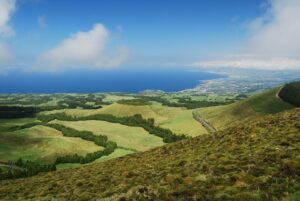 Imagine a trip where nature reigns supreme, amidst dormant volcanoes, turquoise crater lakes, and soothing hot springs. São Miguel, the largest island in the Azores archipelago, is a destination preserved from mass tourism, ideal for an authentic vacation amidst breathtaking landscapes. With spectacular hikes and encounters with a warm culture, this Portuguese gem promises a refreshing and rejuvenating stay.
When to Visit São Miguel for an Ideal Vacation?
The Azores’ oceanic climate offers mild temperatures year-round, but the best time to visit São Miguel is from May to September. The summer months (June to August) are the sunniest, with temperatures ranging between 20°C and 25°C, perfect for exploring trails or swimming in crater lakes like Sete Cidades. Spring and autumn are also excellent for avoiding crowds while enjoying mild weather. Avoid the winter months if you plan to hike, as rains can be frequent.
Must-See and Must-Do Attractions in São Miguel
São Miguel is brimming with natural and cultural treasures. Here are the unmissable stops for a successful trip:
- Sete Cidades Lakes: An emblem of the island, these two twin lakes (Blue and Green) nestled in a volcanic crater offer a unique spectacle. Don’t miss the Miradouro da Boca do Inferno for breathtaking views.
- Furnas and its Hot Springs: This thermal village is famous for its hot springs, such as Lagoa das Furnas, where you can taste a cozido das Furnas, a stew cooked underground using volcanic heat.
- Fogo Volcano: A hike to the summit of this active volcano (last eruption in 1652) rewards you with panoramic views of the island and the ocean.
- Ponta Delgada: São Miguel’s colorful capital captivates with its Baroque architecture, fish market, and lively streets.
- Black Sand Beaches: Such as Praia de Santa Bárbara, ideal for surfing or relaxing by the Atlantic Ocean.

Average Budget for a Trip to São Miguel
The Azores remain an affordable destination compared to other European islands. Here’s an estimate for a couple’s trip (excluding airfare):
- Accommodation: Expect to pay between 60€ and 120€ per night for a comfortable hotel or guesthouse. Vacation rentals (like traditional houses) can cost between 80€ and 150€/night.
- Meals: A meal in a local restaurant costs between 10€ and 20€ per person. Specialties like cozido das Furnas or seafood are well worth trying.
- Transportation: Car rental (essential for exploring the island) ranges between 30€ and 50€ per day. Buses exist but are impractical for reaching isolated sites.
- Activities: Hikes are often free, but expect to pay 20€ to 40€ for organized excursions (whale watching, guided tours). Entry to hot springs like Terra Nostra Park costs around 8€.
Estimated total budget for one week (2 people): between 1,200€ and 1,800€.
Practical Tips for Your Trip to São Miguel
Transportation: Air travel is the only way to reach São Miguel (direct flights from Lisbon or Porto). Once there, renting a car is highly recommended to explore the island freely. Roads are well-maintained but winding: allow ample time for your journeys.
Accommodation: Book early, especially during high season (July-August), as accommodations are limited. Prioritize Ponta Delgada for its centrality or Furnas for a nature immersion.
Things to Avoid: Be wary of sudden weather changes (pack waterproof clothing) and avoid swimming in lakes without checking for currents. Finally, it is advisable to be vigilant on Portuguese roads and check speed control zones before driving during your vacation.
Good to Know: The currency is the Euro, Portuguese is the official language (but English is widely spoken), and no vaccinations are mandatory.
Ready to Go?
⚠️ Beware of Speed Cameras in Portugal: before hitting the road during your holidays, remember to update your GPS with the latest speed camera and danger zone information thanks to Lufop.net, to drive safely and avoid fines. You can also consult the map of automatic speed cameras in Portugal before you leave.
São Miguel in the Azores is a magical destination where <strong)preserved nature, volcanic landscapes, and local hospitality will leave you with unforgettable memories. Whether you’re a hiking enthusiast, a leisure seeker, or a foodie, this Portuguese island will captivate you. So, don’t wait any longer: pack your bags and let yourself be carried away by the adventure!
Porto Holidays: Discover Portugal’s Treasures of Wine and the Douro
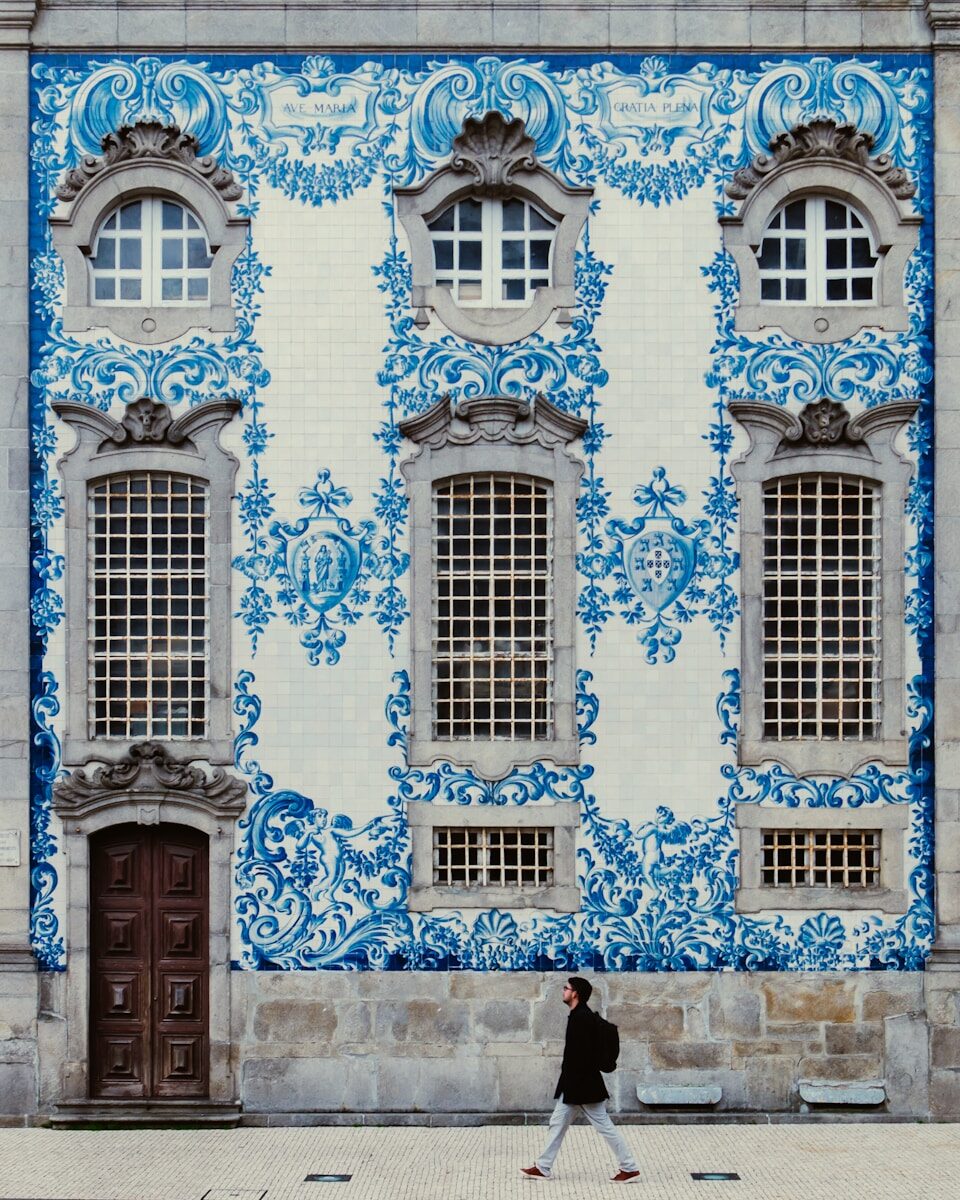 Porto, a jewel of northern Portugal, is a holiday destination that captivates with its enchanting blend of history, culture, and flavors. Between its typical cobbled streets, iconic bridges, and Port wine cellars, this city offers an unforgettable experience for authentic travel enthusiasts. Whether you’re drawn to its colorful architecture, its landscapes cradled by the Douro, or its generous gastronomy, Porto will amaze you at every turn.
When to Visit Porto for Your Holiday?
To fully enjoy your stay in Porto, favor the months from May to September. During this period, temperatures are pleasant (between 20°C and 30°C), ideal for exploring the city on foot or for a Douro River cruise. Summer (June to August) is more lively, with festivals and crowded terraces, but also more frequented by tourists. If you prefer to avoid the crowds, opt for spring or autumn: the climate remains mild, and the colors of the Douro vineyards in autumn are breathtaking.
Winter (December to February) is cooler and rainier, but perfect for those seeking tranquility and advantageous prices. The year-end festivities are particularly magical, with Christmas markets and sparkling lights.
Top Things to See and Do in Porto
Porto is full of unmissable sites for a memorable trip.
- Ribeira District: A UNESCO World Heritage site, this historic district is a maze of typical streets with colorful houses. Perfect for strolling, taking photos, or enjoying a coffee on a terrace with a view of the Douro.
- Dom Luís I Bridge: A symbol of the city, this metallic bridge designed by a disciple of Gustave Eiffel connects Porto to Vila Nova de Gaia. Cross it on foot to admire a breathtaking view of the city and the river.
- Port Wine Cellars: In Vila Nova de Gaia, don’t miss a Port wine tasting in one of the renowned cellars like Sandeman or Graham’s. A unique sensory experience!
- Livraria Lello: Considered one of the most beautiful bookstores in the world, its red staircase and stained-glass windows even inspired J.K. Rowling for Harry Potter.
- Douro Valley: Embark on a boat or train excursion along the river to discover the terraced vineyards and breathtaking UNESCO-listed landscapes.
- São Francisco Church: Its gilded Baroque interior is an architectural masterpiece that will leave you speechless.
Average Budget for a Porto Trip
Porto remains a relatively affordable destination compared to other European cities. Here’s an estimated cost for a comfortable trip (per person):
- Accommodation: Expect to pay between 60€ and 120€ per night for a well-located 3-4 star hotel. Youth hostels or rental apartments (Airbnb) can reduce this budget to 30-50€/night.
- Meals: A meal in a traditional restaurant costs between 10€ and 20€ (daily menu). For a gourmet dinner, plan for 30-50€. Don’t forget local specialties like francesinha (a hearty sandwich) or pastéis de nata!
- Transportation: The metro and buses are very economical (1-2€ per ride). A 24-hour pass costs around 7€. To explore the Douro Valley, expect 40-60€ for a cruise or an organized tour.
- Activities: Entrance to monuments varies between 5€ (church) and 15€ (Livraria Lello). A wine tasting starts at 10-15€.
Estimated total budget for one week (excluding airfare): 500-800€ per person.

Practical Tips for Your Porto Holiday
Transportation: Francisco Sá Carneiro Airport is located 15 km from the city center. The metro (line E) connects the airport to the center in 30 minutes for less than 2€. To get around the city, walking is often the best option due to short distances. Otherwise, opt for public transport or a taxi/ride-sharing service (Uber works well).
Accommodation: Book early if you are traveling during high season (June-September). Central districts like Baixa, Ribeira, or Clérigos are ideal for being in the heart of the action. For more tranquility, choose Foz do Douro.
To Avoid: Don’t venture without a reservation into the very touristy restaurants around Praça da Ribeira: prices there are often inflated.
Ready to Go?
⚠️ Beware of speed cameras in Portugal: before hitting the road during your holidays, remember to update your GPS with the latest speed cameras and danger zones thanks to Lufop.net, to drive peacefully and avoid fines. You can also consult the map of automatic speed cameras in Portugal before you leave.
Porto is a destination to be savored slowly, between strolls through its typical streets, Port wine tastings, and contemplation of architectural masterpieces. Whether you are a history buff, a gourmet, or simply looking for an escape by the Douro, this Portuguese city has everything to please. So don’t wait any longer: pack your bags and let yourself be charmed by the authentic soul of Porto!
Bulgaria Travel: Sofia, Rila Mountains & Speed Cameras to Know Before You Go
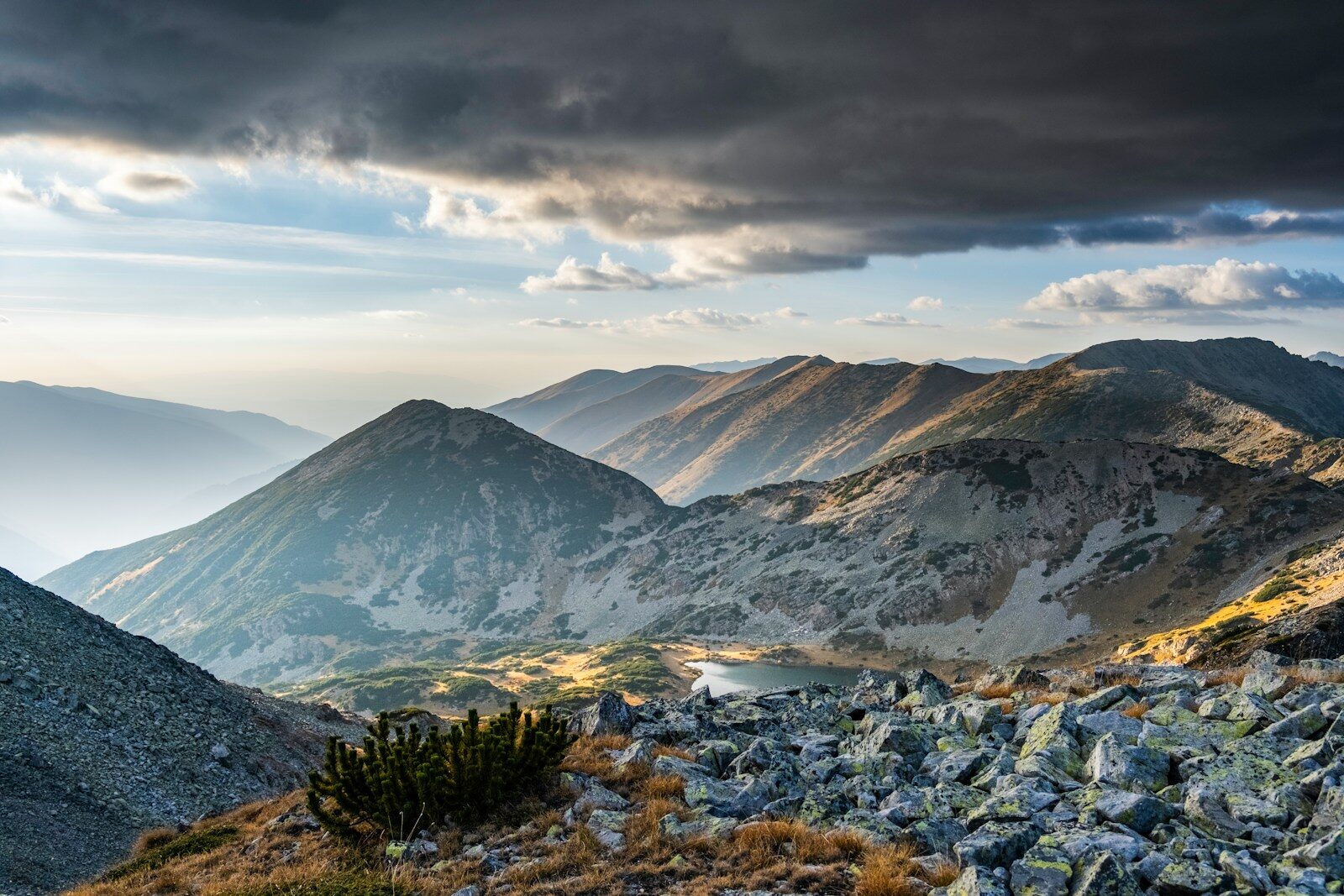
The Rila Mountains
Between the cultural vibrancy of Sofia and the serenity of the Rila Mountains, Bulgaria promises a trip combining history, pristine nature, and affordable prices. A dynamic capital with Slavic and Byzantine influences, Sofia captivates with its blend of ancient architecture and modernity, while the Rila massif, dominated by the mythical Rila Monastery, offers breathtaking landscapes with its glacial lakes and hiking trails. Whether you’re a heritage enthusiast, a trekking lover, or simply seeking an escape, this Bulgarian destination will amaze you. And if you plan to travel the country by car, Lufop supports you with an up-to-date list of speed cameras in Bulgaria, to help you plan your itinerary more calmly and avoid unpleasant surprises on the road.
When to Visit Sofia and the Rila Mountains?
Bulgaria’s continental climate greatly influences the best times to visit this region. To explore Sofia under ideal conditions, favor the months from May to September, when temperatures range between 20°C and 30°C. Summer is perfect for strolling through lively streets or visiting historical sites without fear of rain.
For hiking enthusiasts in the Rila Mountains, summer (June to August) and early autumn (September) are also recommended. The glacial lakes, such as the Seven Rila Lakes, are then accessible and offer breathtaking panoramas. In winter, the region transforms into a winter sports paradise, with nearby resorts like Borovets. However, avoid the months of December to February if you don’t wish to face intense cold at high altitudes.
Must-See and Must-Do Attractions
In Sofia: Between Heritage and Modernity
Start your trip by discovering Sofia’s treasures:
- The St. Alexander Nevsky Cathedral, a symbol of the city with its golden domes and sumptuous interior.
- The Church of St. George, one of the oldest in the capital, nestled in the heart of the historic center.
- The Central Market (Halite), to taste local specialties like banitsa (cheese pastry) or buy Bulgarian spices.
- The National Palace Museum, housed in the former royal residence, for a deep dive into the country’s history.
Don’t miss the Sofia Public Baths either, an Ottoman legacy still in operation, ideal for a relaxing break.
In the Rila Mountains: Nature and Spirituality
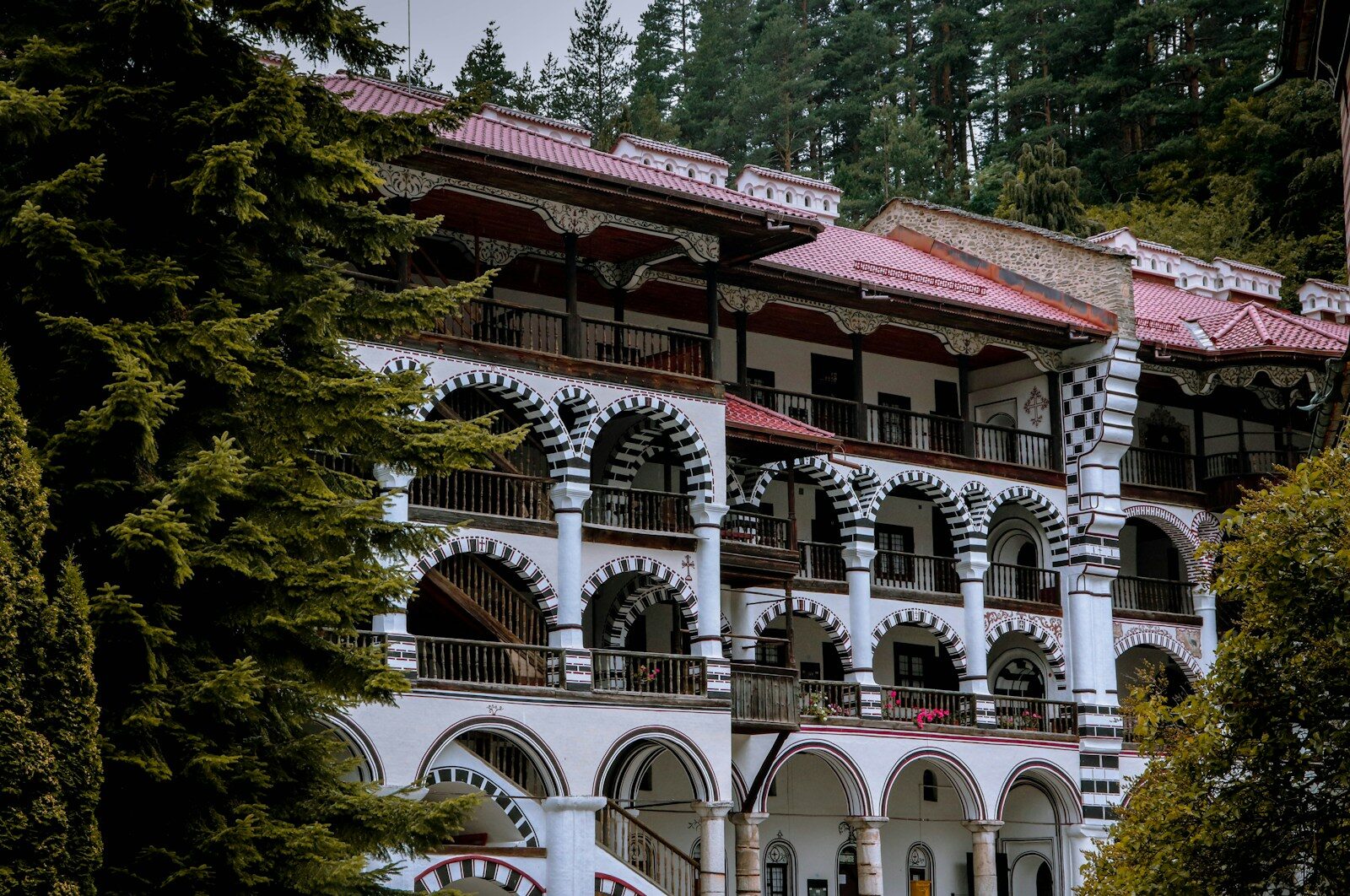
The Rila Monastery
Just 120 km south of Sofia, the Rila National Park is a green sanctuary where nature reigns supreme. Here’s what you absolutely must do there:
- The Rila Monastery, a UNESCO World Heritage site: this 10th-century Orthodox jewel, with its colorful frescoes and impressive architecture, is a pilgrimage site and an artistic marvel.
- The Seven Rila Lakes: these glacial lakes, perched between 2,100 and 2,500 meters above sea level, form a unique alpine landscape. The trail connecting them is accessible to moderately experienced hikers.
- Musala Peak, the highest point in the Balkans (2,925 m), for a memorable ascent with 360° views of the surrounding mountains.
- The village of Borovets, a renowned climatic and tourist resort known for its ski slopes in winter and summer walks.
For an immersive experience, opt for an overnight stay in a mountain hut or a traditional guesthouse.
Average Budget for a Trip to Sofia and the Rila Mountains
⚠️ Beware of speed cameras in Bulgaria: before hitting the road during your holidays, remember to update your GPS with the latest speed cameras and danger zones thanks to Lufop.net, to drive peacefully and avoid fines. You can also consult the map of automatic speed cameras in Bulgaria before you leave.
One of Bulgaria’s major assets remains its exceptional value for money. Here’s an estimate of costs for a one-week trip:
- Accommodation :
- 3* Hotel in Sofia: 40-70 €/night.
- Hostel or guesthouse in the Rila Mountains: 25-50 €/night.
- Food :
- Meal in a traditional restaurant: 8-15 €/person.
- Local Transport :
- Sofia-Rila Bus: 5-10 €/trip.
- Activities:
- 600 to 1,000 € per person for a comfortable week, including accommodation, meals, transport, and activities. With a little organization, it’s even possible to reduce this budget thanks to the affordable prices of local life.
Practical Tips for Your Trip
Transport
Sofia is well-served by air from several European cities (direct flights from Paris, Brussels, or Berlin). Once there:
- Buses are economical and reliable for connecting Sofia to major destinations like Blagoevgrad (gateway to the Rila Mountains).
- Car rental is recommended for freely exploring the mountains and accessing isolated sites like the monastery or lakes. However, be sure to check the vehicle’s condition before departure.
- Taxis are cheap in Sofia (expect ~5 € for an intra-city trip), but prefer apps like Uber or Bolt to avoid extra charges.
Accommodation
In Sofia, choose accommodation in the city center (areas around Sveta Nedelya Square or Ivan Vazov) to be close to tourist sites. In the Rila Mountains, book early during high season (July-August) as capacities are limited. Family guesthouses often offer excellent value for money with a warm welcome.
Things to Avoid
- Beware of pickpockets in crowded places like the central market or packed public transport.
- Also, avoid exchanging money on the street: prefer official exchange offices or withdraw Levs (BGN) from ATMs.
- Finally, it is advisable to be vigilant on Bulgarian roads and to check speed control zones before driving during your vacation.
Regarding health safety, no specific vaccination is required, but pack a basic kit with antiseptics and medication for digestive issues if you try the spicy local cuisine.
Ready to Go?
Between exploring Orthodox monasteries, discovering the glacial lakes of the Rila Mountains, and immersing yourself in Sofia’s authentic atmosphere, this trip to Bulgaria will leave you with unforgettable memories. With affordable prices, preserved nature, and undeniable cultural richness, this destination has it all. So don’t wait any longer, start planning your itinerary to this Balkan gem now!
R-LINK Radar Package Generator: The Online Alternative to SKU Creator
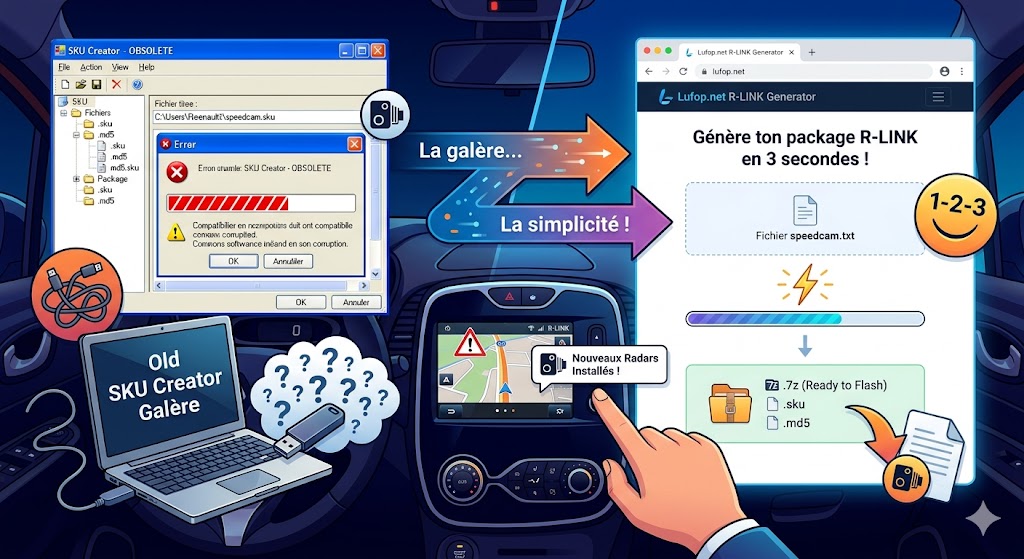
If you own a Renault equipped with the R-LINK system (Clio 4, Captur, Mégane 4, Scénic 4, Kadjar, Talisman, Espace 5…), you’ve probably already heard of SKU Creator. For years, it was the only tool capable of generating radar packages in the proprietary format expected by the R-LINK firmware: a .sku archive with its .md5 checksums, all packaged in a .7z ready to flash via USB stick.
The problem: SKU Creator is an aging Windows software, less and less maintained, incompatible with some recent Windows versions, and regularly a source of corrupted files or incorrect structures. In short, a growing hassle for a simple need.
So we built our own tool. And it runs directly in your browser.
Generate your R-LINK package now
No installation. No Windows. From your browser, in under 3 seconds.
Free account required · 3 generations/day offered
The R-LINK Radar Package Generator: What exactly is it?
It’s a web generator hosted on Lufop, which takes a speedcam.txt file (the database of speed cameras and danger zones) as input and produces a complete package ready to flash on your R-LINK as output:
- The .sku file — the internal radar archive with its .md5 and .stm files
- The .sku.md5 file — the package checksum
- The .7z file — the final archive in R-LINK format, with the R-LINK/ directory structure, the .lyc file, and the force_update.txt
Everything SKU Creator did, but better, from any device (Windows, Mac, Linux, Android, iOS), without any installation, and in under 3 seconds.
How to use it?
It’s intentionally simple:
- Log in to your Lufop account (or create one, it’s free and takes 30 seconds)
- Download the latest radar database in speedcam.txt format from our download page
- Upload the file to the generator via drag & drop or by browsing your files
- Configure the region, year, and month (to name your package)
- Generate — and download your .7z, your .sku, and your .sku.md5
Then, copy the .7z file to the root of a FAT32-formatted USB stick, plug it into your R-LINK, and let the firmware do the rest.
Quota Limits and VIP Access
To keep the service stable and free for everyone, each member has 3 generations per 24-hour period. This is largely sufficient for a weekly update.
If you use the tool regularly or want to contribute to keeping the project alive, the VIP pass gives you unlimited generations — and most importantly, it allows us to continue developing and maintaining tools like this for free for the community.
Access the Generator
The tool is available here, reserved for logged-in members: → R-LINK Radar Package Generator
The compatible radar database (speedcam.txt format for iGO, Mappy, and R-LINK) is updated several times a month. You can find it on this page.
And on this other page you will find a file generated like with SKU Creator and already ready for use.
Lufop
Alertes push géolocalisées : une nouvelle fonctionnalité exclusive pour les membres VIP de LUFOP
 Lufop continue d’évoluer pour vous informer plus vite, plus simplement et plus précisément.
Une nouvelle fonctionnalité est désormais disponible pour les membres VIP : les alertes géolocalisées dans le Zone VIP.
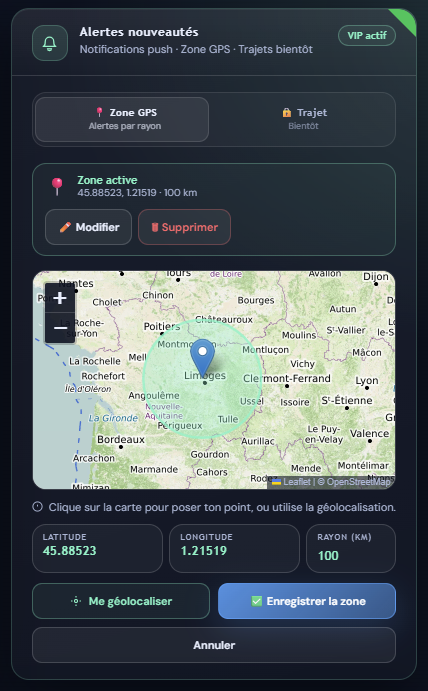
Vous pouvez définir une zone GPS personnalisée autour d’un lieu important pour vous : domicile, travail, ville, axe routier ou région à surveiller. Dès qu’un nouveau radar est détecté dans cette zone, vous recevez une notification push directement sur votre navigateur ou votre téléphone, même si vous n’êtes pas sur le site.
Comment ça fonctionne ?
Depuis votre espace membre VIP, ouvrez la carte Alertes nouveautés, puis sélectionnez l’onglet Zone GPS.
- cliquez sur la carte pour placer votre point ;
- ajustez le rayon de surveillance ;
- enregistrez votre zone ;
- Lufop vous prévient dès qu’un radar est ajouté dans ce périmètre.
Les membres VIP peuvent définir un rayon allant jusqu’à 500 km, pratique pour suivre une grande zone, un trajet régulier ou une région avant un déplacement.
Ce que ça change pour vous
Avant, il fallait consulter le site ou attendre les informations par email. Avec les alertes push, l’information vient directement à vous.
C’est utile si vous surveillez une zone active, un axe routier précis, vos trajets quotidiens ou une route de vacances. Plus besoin de vérifier manuellement : si un nouveau radar apparaît dans votre zone, vous êtes alerté automatiquement.
Comment activer les alertes ?
- connectez-vous à votre espace membre VIP ;
- ouvrez la carte Alertes nouveautés ;
- sélectionnez l’onglet Zone GPS ;
- cliquez sur la carte ou utilisez Me géolocaliser ;
- définissez votre rayon ;
- cliquez sur Enregistrer ;
- autorisez les notifications dans votre navigateur.
Prochainement : les alertes par trajet
Une autre option est en préparation : les alertes par trajet. Vous pourrez définir un parcours complet — domicile-travail, itinéraire professionnel, route de vacances — et recevoir une notification lorsqu’un nouveau radar est détecté près de ce trajet.
Réservé aux membres VIP
Les alertes push géolocalisées sont disponibles pour tous les membres VIP actifs.
Si vous n’êtes pas encore membre, vous pouvez rejoindre la communauté à partir de 3 € par mois. Vous profitez ainsi de fonctionnalités avancées tout en soutenant le développement de Lufop.
Merci à la communauté Lufop
Merci à tous ceux qui soutiennent Lufop, signalent les nouveautés et participent à faire vivre la base communautaire des radars.
Note : pour celles et ceux qui se posent la question, cette fonctionnalité ne fonctionnait pas parfaitement dans la version précédente. J’ai donc pris le temps de la retravailler afin qu’elle soit plus fiable dans cette nouvelle version. Comme elle était très peu utilisée par les membres non VIP, j’en ai profité pour la basculer exclusivement dans l’espace VIP.
Bonne route à tous, et bon long week-end à celles et ceux qui sont déjà en week-end.


 France
 Belgique
 Italie
 Allemagne
 Suisse
 Espagne
 Suede
Suede Portugal
 Pays-Bas
 Luxembourg
 Grande-Bretagne
 Pologne
 Andorre
 Irlande
 Lettonie
 Republique Tcheque
 Bulgarie
 Canada
 Australie
 Nouvelle-Zelande
 Norvege
 Emirats Arabes Unis
 Maroc
Maroc Finlande
 Bresil